 Agent Standup
Claude Code notifications: when it's done or waiting for you
Claude Code stops to ask for a permission, or finishes a long task, while you are in another window. If nothing tells you, it sits there. Claude Code has two ways to notify you: a built-in setting that works in some terminals with no setup, and hooks that work everywhere. This page shows both, what to check when notifications don't appear, and how to keep an eye on several sessions at once.
1. The built-in setting
Claude Code can send a desktop notification itself when it needs you and you seem to be away from the terminal. It is the Local notifications entry in /config, or the preferredNotifChannel key in a settings file such as ~/.claude/settings.json (https://code.claude.com/docs/en/settings-reference):
| Value | What it does |
|---|---|
auto (default) | A desktop notification in iTerm2, Ghostty and Kitty; little or nothing in other terminals |
terminal_bell | Rings the terminal bell, in any terminal |
iterm2 / iterm2_with_bell | An iTerm2 notification, with or without the bell |
kitty / ghostty | A Kitty or Ghostty notification |
notifications_disabled | Nothing |
For example:
{ "preferredNotifChannel": "terminal_bell" }What to know (https://code.claude.com/docs/en/terminal-config):
- iTerm2 shows them only after you turn on "Notification Center Alerts" and "Send escape sequence-generated alerts" in its settings.
- Apple's Terminal, the VS Code integrated terminal, Warp and most others get no desktop notification from this setting. Use a hook (next section) or
terminal_bell. - Over SSH, set the channel explicitly (
iterm2,kittyorghostty) on the machine that runs Claude Code.
2. Hooks: a notification in any terminal, on any system
Hooks run a command of yours on Claude Code's events (https://code.claude.com/docs/en/hooks). Two matter here:
Notificationfires when Claude Code wants your attention. Itspermission_prompttype fires when a permission has waited about six seconds;idle_promptfires when Claude finished about a minute ago and you haven't typed since.Stopfires each time the main agent finishes responding (not when you interrupt it).
On macOS, in ~/.claude/settings.json, a notification when it needs you and another when it is done:
{
  "hooks": {
    "Notification": [
      { "matcher": "", "hooks": [ { "type": "command", "command": "osascript -e 'display notification \"Claude Code needs you\" with title \"Claude Code\"'" } ] }
    ],
    "Stop": [
      { "hooks": [ { "type": "command", "command": "osascript -e 'display notification \"Claude Code is done\" with title \"Claude Code\"'" } ] }
    ]
  }
}- Linux: use
notify-send 'Claude Code' 'Claude Code needs you'as the command (it needs a notification daemon; on Debian or Ubuntu, installlibnotify-bin). - A sound instead, on macOS:
afplay /System/Library/Sounds/Glass.aiff. - Windows: the documentation gives a PowerShell command that opens a message box: https://code.claude.com/docs/en/hooks-guide
- Too many "done" notifications?
Stopfires after every answer, even when you are watching. Drop it and keepNotification: itsidle_prompttype tells you when Claude has been done for a minute and you haven't come back. - Only permissions: put
"matcher": "permission_prompt"instead of"".
Notifications not working?
- macOS, with
osascript: the notification comes from Script Editor. If it has no permission, the command fails silently. Allow it in System Settings → Notifications → Script Editor. - The built-in setting shows nothing: check that your terminal app itself is allowed to send notifications in your system settings.
- Inside tmux: notifications don't reach the outer terminal by default. Add
set -g allow-passthrough onto~/.tmux.conf, runtmux source-file ~/.tmux.conf, and restart Claude Code. - Linux over SSH, in a container or on a server:
notify-sendhas no desktop to show on. Send the message somewhere else from the hook instead (a chat webhook, a phone notification service). - In the VS Code extension: a blue dot on a session's tab means a permission is pending, an orange dot that Claude finished while the tab was hidden; the sessions list can filter on Needs input (https://code.claude.com/docs/en/vs-code).
3. Several sessions: see at a glance which one needs you
Hooks are perfect for one session. With three or four running in different folders, a pile of identical notifications doesn't say which session asks what. Agent Standup shows every Claude Code session on your computer as a live team call, with the ones that need you first.
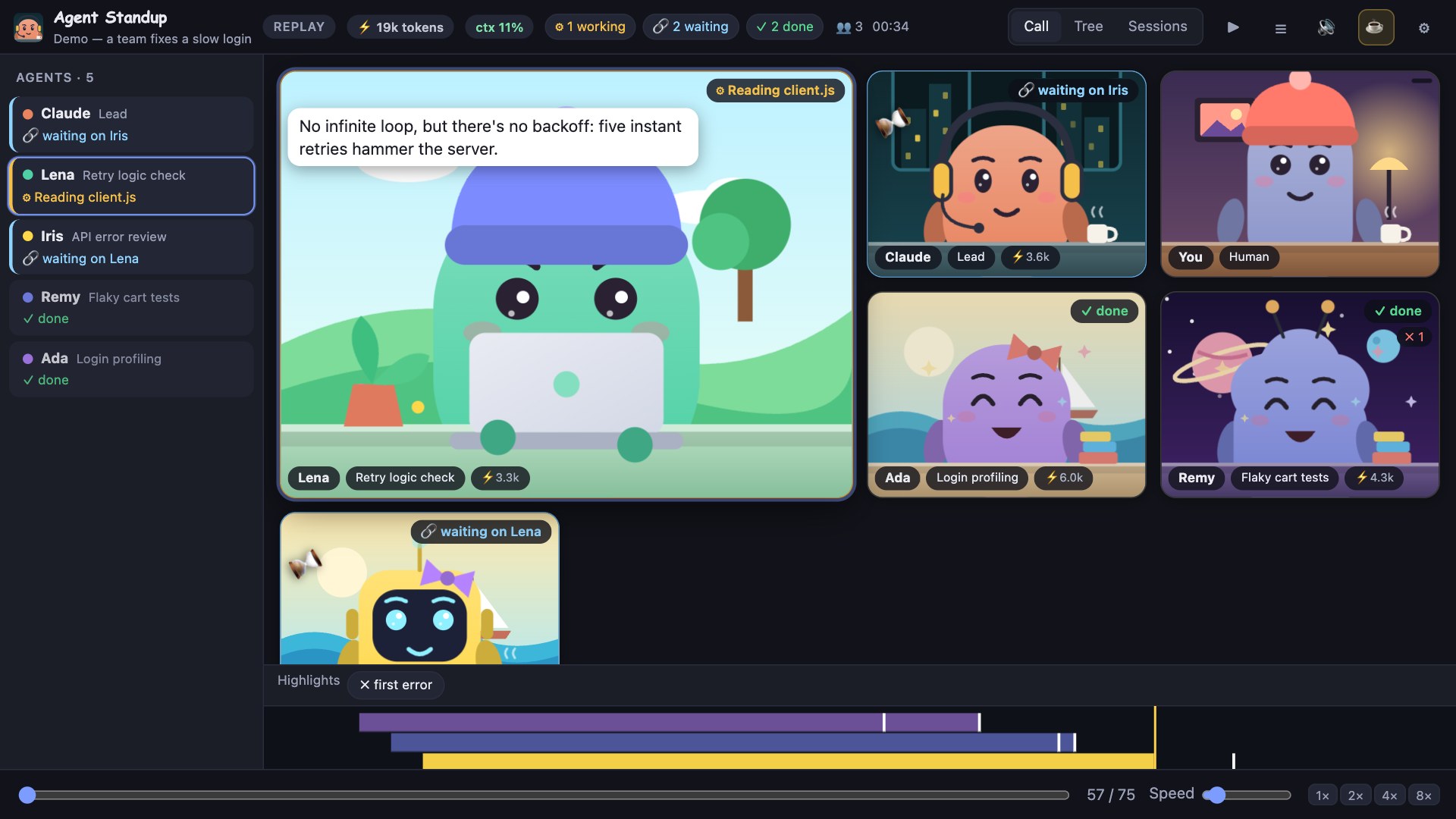
- "Needs you", with the question. A session waiting on a permission or a question is flagged red, with what it asks and for how long, in the call, on the board of all sessions, and in the VS Code status bar.
- In VS Code, a notification when a session of your workspace starts to wait for you, with Go to session, once per wait.
- By ear: a sharp double ding when an agent asks you something, a soft chime when the team is done.
- In the terminal: the free
agent-standup-bandplugin adds a line above your Claude Code prompt naming the other session that waits for you. - No hooks, no setup, zero tokens. It only reads the files Claude Code already writes in
~/.claude, and nothing leaves your computer. It also shows Codex and Mistral Vibe sessions.
Try it
- In VS Code or Cursor: search "Agent Standup" in the Extensions view, then open the call from the Activity Bar.
- In a terminal, without installing anything (Node 18 or later):
npx @double_geste/agent-standup@latest --open. - Inside Claude Code:
/plugin install agent-standup-band --marketplace Atoll92/agent-standupfor the line above the prompt. - As a desktop app for macOS, Windows and Linux, from https://agent-standup.com
Questions
Why does the notification come a few seconds late? On purpose: Claude Code waits about six seconds on a permission, and about a minute after finishing, so that you aren't notified for something you are already looking at.
Can I get it on my phone? A hook can send the message anywhere a command can: a chat webhook or a push notification service. Claude Code's Remote Control also has mobile push notifications: https://code.claude.com/docs/en/remote-control
Does Agent Standup replace hooks? No, they work together. Hooks tell you about one event; Agent Standup shows what all your sessions are doing, and what each one asks, in one place.